Đo sáng cho máy film, ngay trên iPhoneA film light meter in your iPhone
Chạm vào chỗ bạn quan tâm. App cho biết tốc độ, khẩu độ và khoảng cách tại đúng điểm đó, rồi ghi vào cuộn phim đang chụp.
Tap the part of the scene you care about. The app gives you shutter speed, aperture and distance at that exact spot, then logs it to the roll you're shooting.
Tham gia TestFlightJoin on TestFlight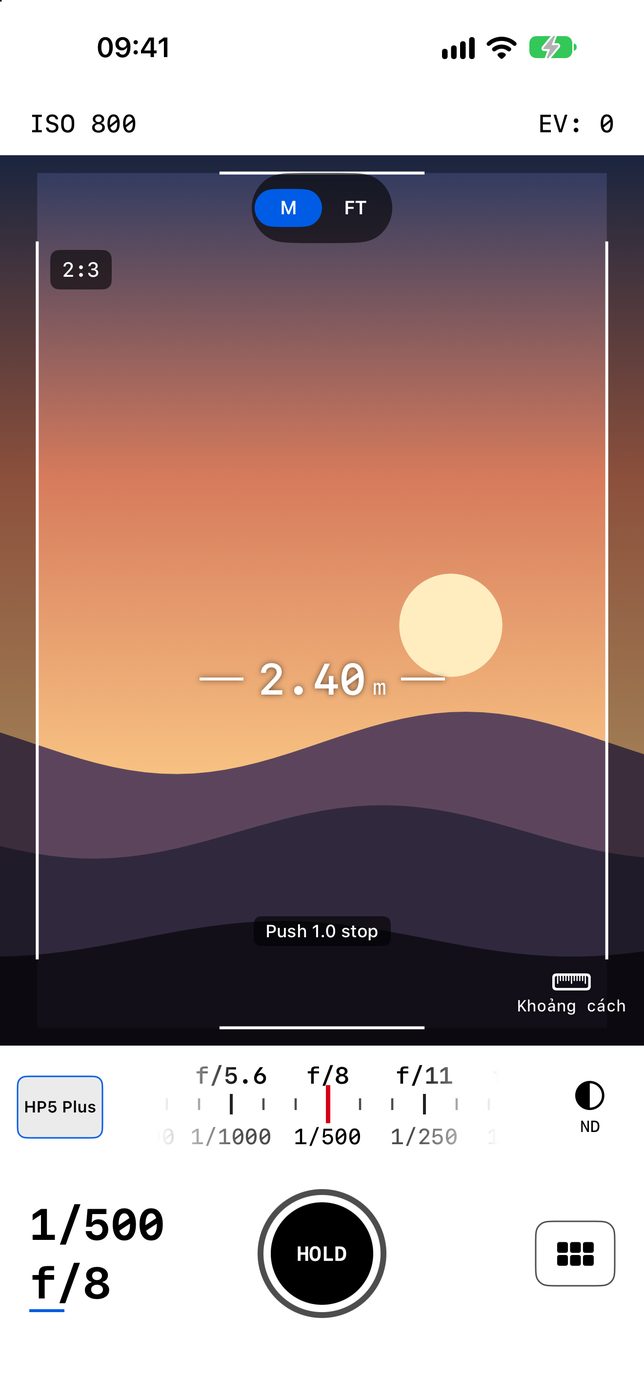
Thử phép tínhTry the maths
Đây là công thức app dùng. Trên iPhone, độ sáng cảnh đến từ camera; ở đây bạn tự kéo.
This is the formula the app uses. On an iPhone, scene brightness comes from the camera. Here, you set it yourself.
Nhìn như qua ống kính của bạnSee what your lens sees
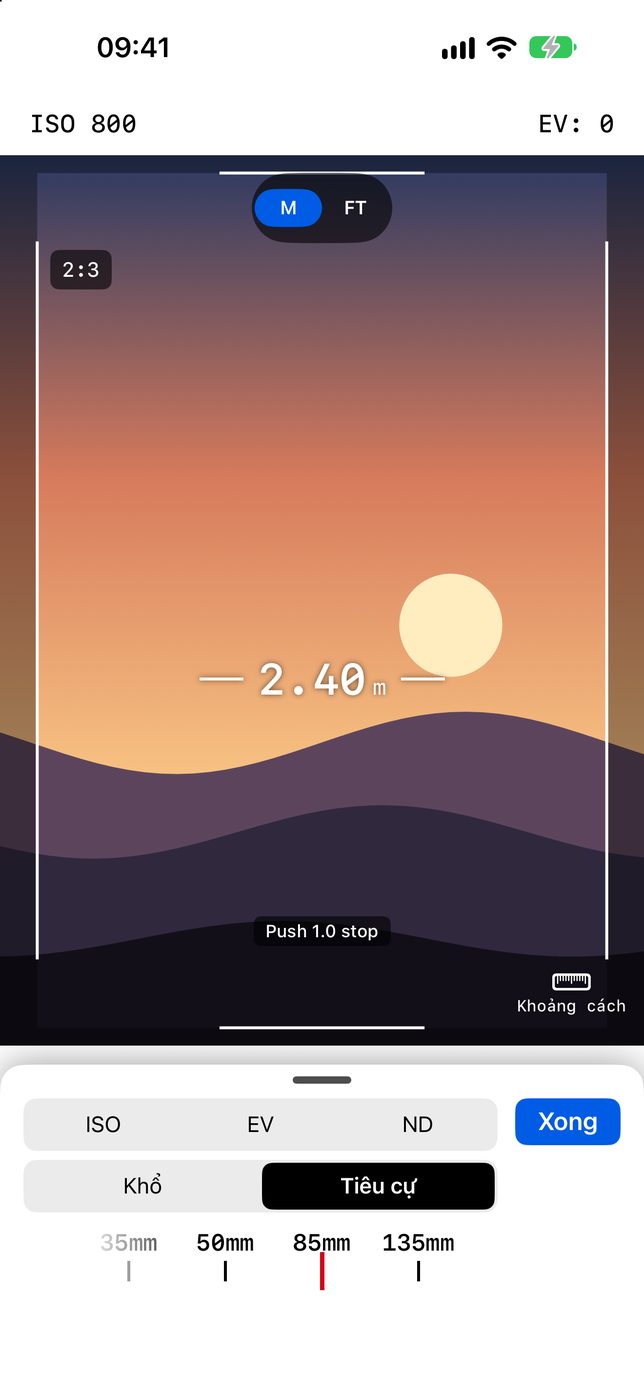
Khung ngắm đứng yên theo khổ phim. Chọn tiêu cự trên thước, hình bên trong phóng to hoặc thu nhỏ đúng góc nhìn của ống kính đó. Chạm vào chỗ cần đo: app đo điểm đó trong 3 giây rồi tự về đo toàn khung.
The frame lines stay put, shaped like your film format. Pick a focal length on the ruler and the picture inside zooms to that lens's view. Tap what matters: the app meters that spot for 3 seconds, then goes back to the whole frame.
- 28–135mm28, 35, 50, 85 và 135mm, tính theo khổ phim đang chọn.28, 35, 50, 85 and 135mm, worked out for the format you shoot.
- LiDARTrên iPhone Pro, khoảng cách tới điểm đo, trong khoảng 5 m.On iPhone Pro models, distance to the metered spot, within about 5 m.
- ≈Máy hai camera ước lượng khoảng cách, app đánh dấu là xấp xỉ.Dual-camera iPhones estimate distance, marked as approximate.
Cuộn phim nằm trong appYour roll lives in the app
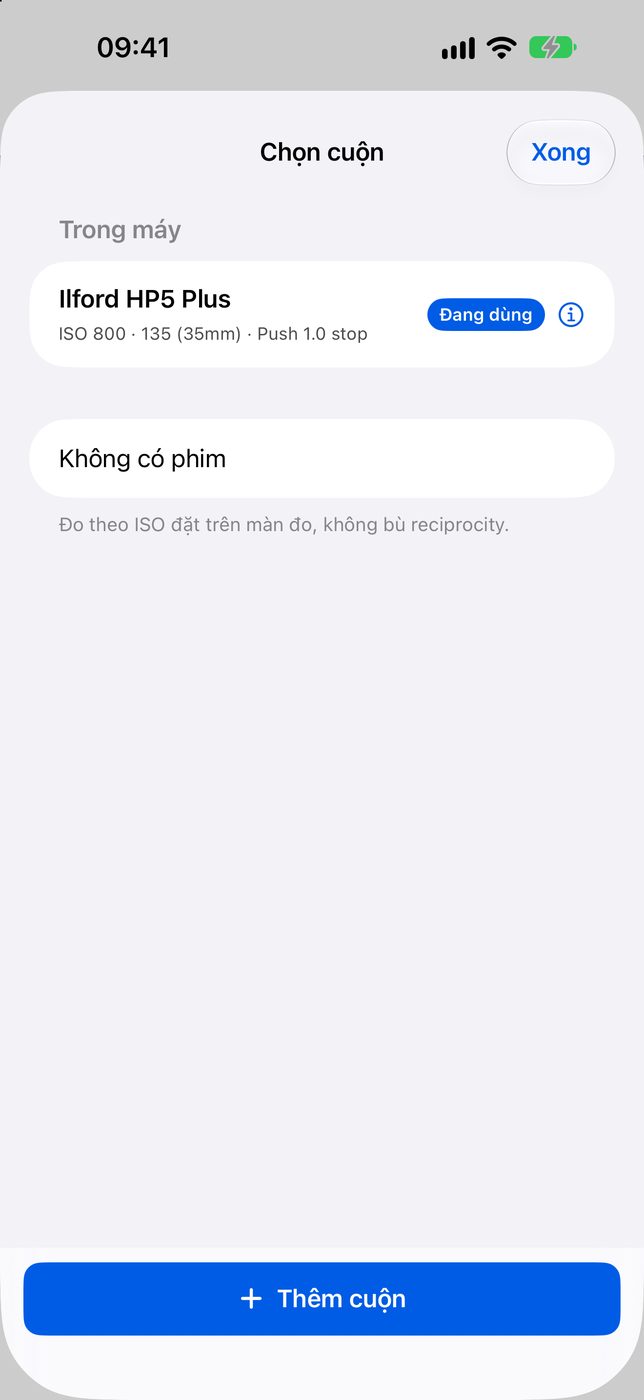
Nạp một cuộn và app đặt sẵn ISO, khổ phim và dữ liệu reciprocity. Mỗi lần lưu, số đo được ghi vào cuộn đó để bạn xem lại sau.
Load a roll and the app sets the speed, format and reciprocity data. Each save is kept with that roll, to look back on later.
- EIPush và pull, app báo số stop so với ISO gốc.Push and pull, shown in stops from box speed.
- 135 / 120Half frame, 35mm, 645, 6x6, 6x7, 6x9.Half frame, 35mm, 645, 6x6, 6x7, 6x9.
- +Thêm phim của riêng bạn, kèm hệ số reciprocity trong datasheet.Add your own films, with the reciprocity exponent from the datasheet.
Phơi dài, khỏi tính nhẩmLong exposures, no mental maths
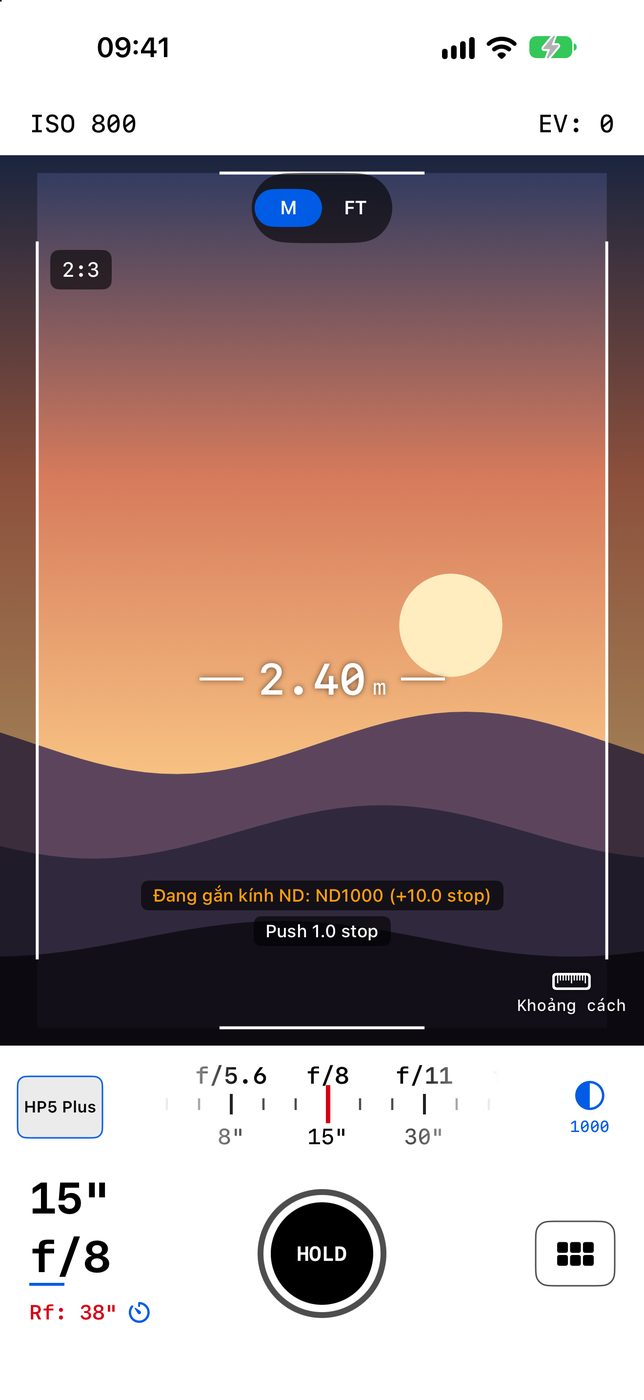
Chọn kính ND và loại phim, app tính thời gian đã bù reciprocity. Giữ nút HOLD để mở đồng hồ đếm ngược.
Pick an ND filter and a film. The app works out the reciprocity-corrected time. Press and hold HOLD to start the countdown.
- ND2–ND10000Tự bù số stop của kính, và nhắc trên màn hình khi kính ND đang bật để bạn không quên.Filter stops are applied for you, with an on-screen reminder while an ND filter is set so it isn't forgotten.
- t^p30 loại phim, và bạn có thể tự thêm phim khác. Số liệu ước lượng được ghi rõ là ước lượng.30 film stocks, and you can add your own. Estimated data is labelled as an estimate.
Thông sốSpecs
- iPhoneiOS 17 trở lêniOS 17 or later
- MeteringĐo toàn khung, chạm để đo điểm trong 3 giây. Đo phản xạ.Whole frame, or tap for a 3-second spot reading. Reflected light.
- Av / Tv / MƯu tiên khẩu, ưu tiên tốc, hoặc thủ công với kim báo thừa thiếu sáng.Aperture priority, shutter priority, or manual with an over/under scale.
- 1/3 · 1/2 · 1Bước chỉnh theo vòng số của máy bạn.Steps that match your camera's clicks.
- OfflineKhông cần tài khoản hay mạng. Dữ liệu nằm trên máy bạn.No account or connection needed. Your data stays on your phone.
Đây là bản thửThis is a beta
Mỗi iPhone đo lệch một chút, nên hãy hiệu chuẩn một lần trước khi tin số đo cho một cuộn phim quan trọng.
Every iPhone reads a little differently, so calibrate once before trusting it with a roll that matters.
- Đo cùng một mảng xám đều bằng app và bằng máy đo hoặc máy ảnh bạn tin tưởng.
- Vào nút lưới, mục Calibration, chỉnh offset đến khi hai số khớp.
- Meter the same even grey subject with the app and with a meter or camera you trust.
- Open the grid button, go to Calibration, and shift the offset until the readings match.